
Service-Interval Re-Budgeting When a Kiosk Gains Cash Modules, Printers and Cameras: A Heat-and-Wear Delta Method
Service interval re-budgeting when a kiosk gains new peripherals means treating each added module as an amendment to the original thermal and wear budget, not as a line item on a calendar. A bill validator, thermal printer, camera or NFC reader changes both how much heat the enclosure must move and how many mechanical cycles the unit must survive, so the interval you set for the original bill of materials no longer describes the machine in the field.
Adding a module to a kiosk peripheral integration maintenance schedule is a change-management problem before it is a cleaning problem.
Why a Peripheral Change Breaks Your Existing Service Interval
Service intervals are budgeted against the original BOM, so every module added later changes two things at once: the heat load the enclosure must reject and the wear duty cycle the mechanism must absorb. The interval you agreed at commissioning described a different machine.
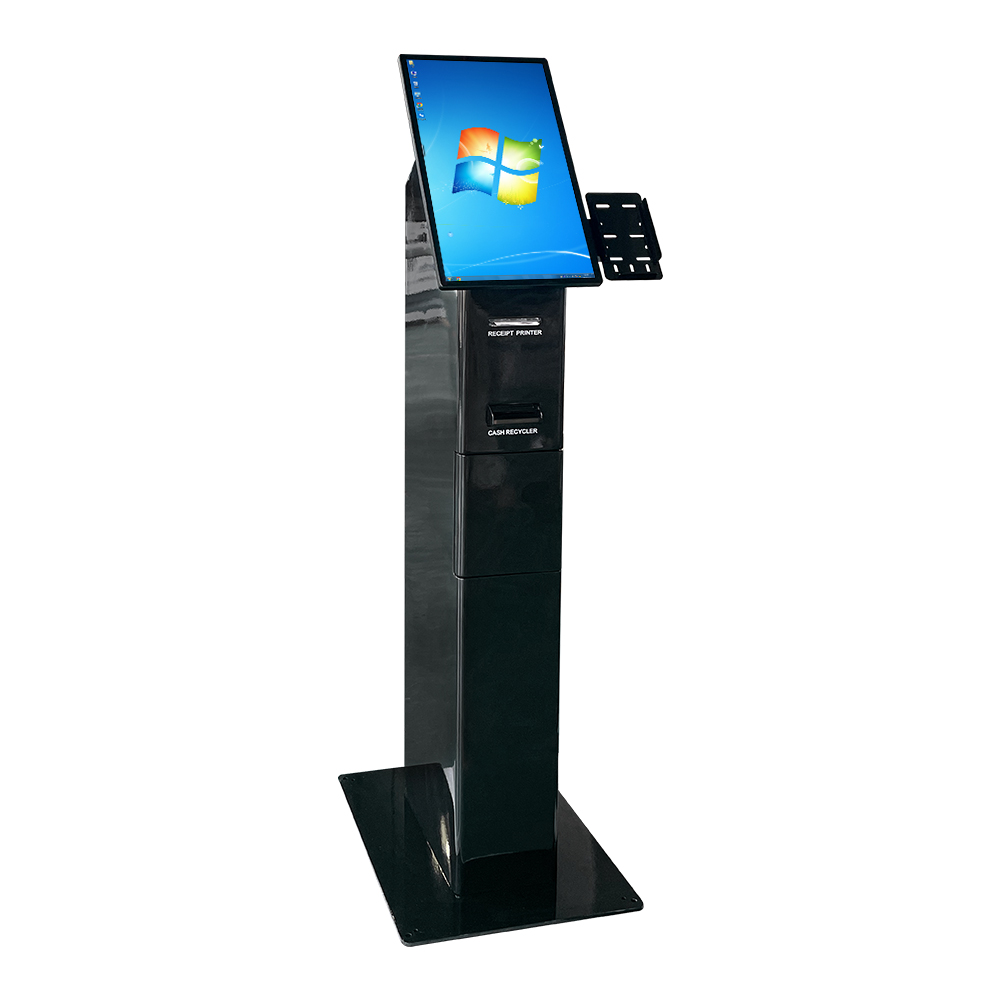
That is the whole mechanism. A cashless retail checkout kiosk with a touchscreen and a card reader was budgeted as a mostly solid-state device with a small thermal tail. Add a bill validator, a coin hopper and a thermal receipt printer — the configuration typical of restaurant self-ordering kiosks and hospital registration kiosks that take payment at the counter — and you have introduced three mechanisms that consume cycles and trap contamination inside the same cabinet.
Heat is a budget. Wear is a duty cycle. They fail differently, they respond to different interventions, and they should not be scored as one number.
Module-by-Module Heat and Wear Delta Table
Two terms make the table readable. A heat budget is the maximum amount of heat an enclosure can reject while internal air stays inside the operating range of the compute, display and power supply — a fixed ceiling set by ventilation, fan curve and ambient assumptions. A wear duty cycle is the number of mechanical operations a module performs per unit time, usually expressed as note feeds, cuts, scans or encoder strokes per day. Heat raises ambient temperature; wear consumes cycles. A third category matters for real dollar budgets: the shared path, where two modules draw from the same air stream, dust reservoir or paper path, so one module’s contamination becomes another module’s failure. [3], but that figure assumes clean currency and controlled conditions — which is exactly what a kiosk enclosure does not guarantee. Kiosk camera and NFC module failure rates, by contrast, are dominated by connector, lens and firmware issues rather than cycle count.
| Module | Heat Character | Wear Mode | Dominant Failure Driver | Relative Service Pressure |
|---|---|---|---|---|
| Bill validator / cash acceptor | Low to medium (motor, sensor stack) | High — note feed and transport cycles | Dust, humidity, worn or folded currency | High |
| Coin hopper / dispenser | Low | High — coin agitation and payout strokes | Foreign objects, coin debris, jam cadence | High |
| Thermal receipt printer | Low to medium | High — cut and feed cycles | Paper dust, cutter wear, roll path debris | High |
| Barcode / document scanner | Low | Low to medium — platen passes | Window smudge, illumination drift, fixed-mount angle | Low to medium |
| USB / IP camera | Low | Very low — no consumable motion | Lens contamination, thermal event recovery, connector seating | Low |
| NFC / EMV card reader | Low | Very low — solid-state with a slot | Software and connectivity faults, physical mounting wear | Low |
| Keycard encoder | Low | Medium — encode strokes and card feed | Card feed jams, head wear, dispenser path | Medium |
Bands are qualitative, derived from the stated failure drivers, and are reasoning aids rather than measured test results. Nothing here substitutes for your own call log.
Separating a Thermal Delta From a Wear Delta
These are two different causal models and they need two different responses. The thermal delta is about the kiosk enclosure thermal budget: added modules raise internal air temperature, which shortens the life of electrolytic capacitors in the power supply, pushes the display toward brightness and touch drift, and can throttle compute. The wear delta is about mechanical cycles: a printer, bill validator or coin hopper consumes a finite number of operations regardless of temperature.
The distinction prevents a common budgeting mistake. A printer is heat-neutral but wear-heavy, so it changes your spare and consumable plan far more than your ventilation plan. A camera or NFC module is effectively wear-light but heat-relevant, so it argues for airflow and thermal headroom and barely moves your mechanical spare pool. Treating both as “a new peripheral” hides which budget line just changed.
If you are arriving from thermal design work, the always-on enclosure power and memory assumptions are the upstream constraint — see always-on kiosk thermal design and 16GB memory power budgets — and this article holds that platform constant while changing only the peripheral stack.
The Delta Worksheet: Scoring Added Modules
Use this as a self-service kiosk preventive maintenance checklist for a configuration change. Work it on paper before you sign anything.
- List the baseline BOM and its current interval. Record the shipped module list and the agreed service interval for each covered item. This is your reference point.
- Mark each added module’s heat character as low, medium or high using the table above.
- Mark its wear mode and duty cycle. Estimate operations per day from transaction volume, not from peak capability.
- Flag shared-path conflict. Identify modules that share an air stream, dust reservoir or paper path. Shared paths raise both modules’ intervals, not one.
- Convert the flags into an interval multiplier band. One or two high-wear additions on an isolated path: tighten moderately — inspect something like half a step earlier. A high-wear module plus a shared path plus a heat-heavy neighbour: tighten materially and add a fixed inspection between scheduled visits. Keep the band explicitly qualitative at this stage.
- Record the revised interval and its owner. Name the person accountable for the kiosk peripheral BOM configuration that produced the number, and the date it takes effect.
Worked example: a restaurant self-ordering kiosk originally specified cashless with a card reader and touchscreen gains a thermal receipt printer and a camera. The printer is wear-heavy and paper-dust-bearing; the camera is heat-light and wear-light but sits above the printer on a shared air path. The camera itself does not justify a schedule change, but the shared path does — so the intake clean moves earlier and a roller and cutter check is added to the existing visit, while the cash-handling interval stays untouched because no cash module was added.
Preventive-Service Trigger List
Condition-based triggers beat dates once a peripheral stack changes, because a cash module kiosk service interval derived from an old cashless build will not fire at the right moment. Use these conditions. Each one forces an action.
- Cash module rejects cluster above its normal band for that site → clean the note path and re-baseline the interval from the new reject rate.
- Printer jam cadence shortens noticeably between visits → thermal printer kiosk preventive maintenance frequency moves in, and a spare cutter or roller is added to the pool.
- Enclosure intake dust is visible before the scheduled clean → bring the shared-path clean forward for every module sharing that intake.
- Camera or NFC errors appear during or just after thermal events → escalate to a re-test of enclosure temperature headroom, not just a module swap.
- Technician finds contamination inside an air path shared by two modules → treat as a design issue: add shielding or split the path rather than only cleaning.
- Repeated zero-fault-found callouts on a solid-state module → shift that module to condition monitoring and stop paying for calendar visits it does not need.
These conditions surface in [1] that operators describe as preventable, and the split of who acts matters. Operators can clear jams, replace paper, wipe scanner windows and log error states. Technicians should own re-baselining, module replacement, path modification and anything inside a locked cash safe. Spares per 100 kiosks should be derived from your own call log by failure mode, not taken from a generic stocking table.
Cash-Handling vs Cashless: The Maintenance Cost Shape
Cash modules generate more field service calls than card readers because their failure modes are mechanical and contamination-driven, while card readers are largely solid-state and fail less frequently — though connectivity and software faults still cause downtime ([3], undated, selection-oriented). The same source frames the hybrid path: a cashless-first kiosk with an optional cash module is the most flexible upgrade when a market is moving between payment behaviours, which fits ticketing kiosks, hotel self-check-in units and retail checkouts in transition.
The maintenance impact of adding a cash acceptor to a cashless kiosk is therefore asymmetric. You are not adding one more box; you are adding a consumable-adjacent mechanism with a contamination profile, a security envelope and a compliance question. Payment modules raise PCI DSS and PCI-PTS considerations — check the current requirements in the PCI Security Standards Council’s own published standards and PTS approval lists rather than relying on a secondary summary. Regional cash penetration varies widely and drives whether a cash module is even justified; the cited 2025-2026-period figures should be checked against a current source before you build a business case on them.
Remote Monitoring: Which Deltas It Can and Cannot Absorb
Kiosk remote diagnostics reducing truck rolls works on a specific class of faults and not on another. Remote monitoring can catch software faults, connectivity loss, configuration drift and many module error states before a user notices — it converts some calendar visits into observed-event visits, which is a genuine saving on solid-state and compute-adjacent modules.
It cannot clean a bill path, replace a worn roller, clear an enclosure intake or refill a paper roll. On wear-heavy modules, telemetry changes when you learn about the problem, not whether a physical visit is required. The trigger moves from a date to an event; the visit stays.
The practical conclusion: budget remote monitoring against your heat-light, wear-light modules and against early warning for the rest. Do not reduce a wear-heavy interval because telemetry exists. The [2] frames the service side of self-service as separate from design, manufacture and software — which is exactly the separation the delta method depends on.
Turning the Delta Into Contract Language
Once the delta is scored, the revision belongs in the contract as an approved change to maintenance scope, not as a verbal understanding. That means naming which modules are covered, which interval applies to each, what the shared-path clean covers, and whether the spare pool changed.
Peripheral warranties are frequently separate from the enclosure warranty and should be verified per vendor and tracked individually, so no gap opens between the [1] covering the cabinet and the warranty on a printer or payment device. A printer out of warranty inside a serviced enclosure is a common and avoidable coverage hole.
Re-run the six-step worksheet every time the peripheral stack changes, and put the revised interval in writing before the next scheduled visit.
Related guides
Content reviewed: 2026-09-14.
Evidence confidence
Confidence: Medium. This rating reflects cross-checking 3 sources across 2 independent domains. It measures evidence coverage, not certainty; verify safety-critical work against manufacturer instructions and local requirements.
References
APA 7th edition
- ↑Cited 2 timesKioskindustry. (2026). Kiosk Service Solutions: Maximize Uptime & Reduce TCO. https://kioskindustry.org/kiosk-services/.
- ↑Kioskindustry. (2026). Kiosk Service: Reducing Downtime and Costs. https://kioskindustry.org/kiosk-manufacturer-companies/kiosk-services/.
- ↑Cited 2 timesQtenboard. (n.d.). Cash vs Cashless Payment Kiosk: B2B Technical Selection. Retrieved September 14, 2026, from https://www.qtenboard.com/factory-news-658.html.
You should also read:
Thermal Service Interval Re Planning When: Re-Planning for Higher-Memory, Edge-AI Builds
Thermal service interval re-planning when memory content climbs instead of drops means re-baselining your always-on kiosk thermal service intervals around the higher-power board actually deployed, not the fully-idle legacy assumption. Because higher compute and decode raise enclosure heat faster than the old model predicts, you…
Continue reading...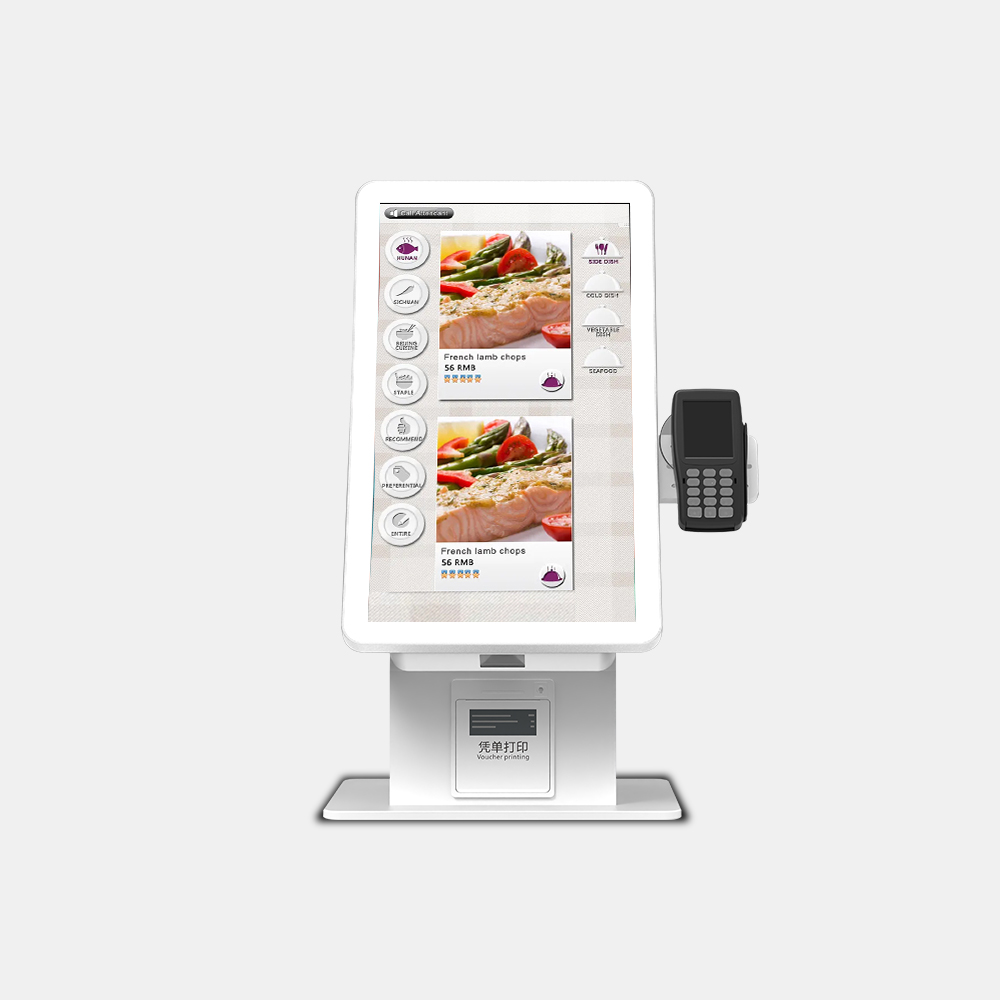
Thermal Service Interval Re Planning When: Re-Planning for Higher-Density Memory Under 2026 Supply Pressure
Thermal service interval re-planning when memory content climbs instead of drops is now the counterintuitive 2026 problem for OEM/ODM kiosk buyers. Under a premium-skew allocation environment, sourcing substitutes or higher-density memory tiers can raise per-module power draw even while the AI workload stays identical, and…
Continue reading...
Thermal service intervals when 2026 AI: Preventive Service Intervals for AI-Enabled Fleets
Thermal service intervals when 2026 AI edge inference pushes a kiosk beyond idle, fixed calendar-based service stops working. Install the cheapest filters and fans, replace them ahead of dust and thermal throttling, and plan gasket and ventilation checks around each AI workload — not on…
Continue reading...